Engineering Evidence Report (day 30)
Experiments and simulations as reproducible technical evidence. Live at https://evidence.pinneapple.org.
Source: apps/evidence_report.
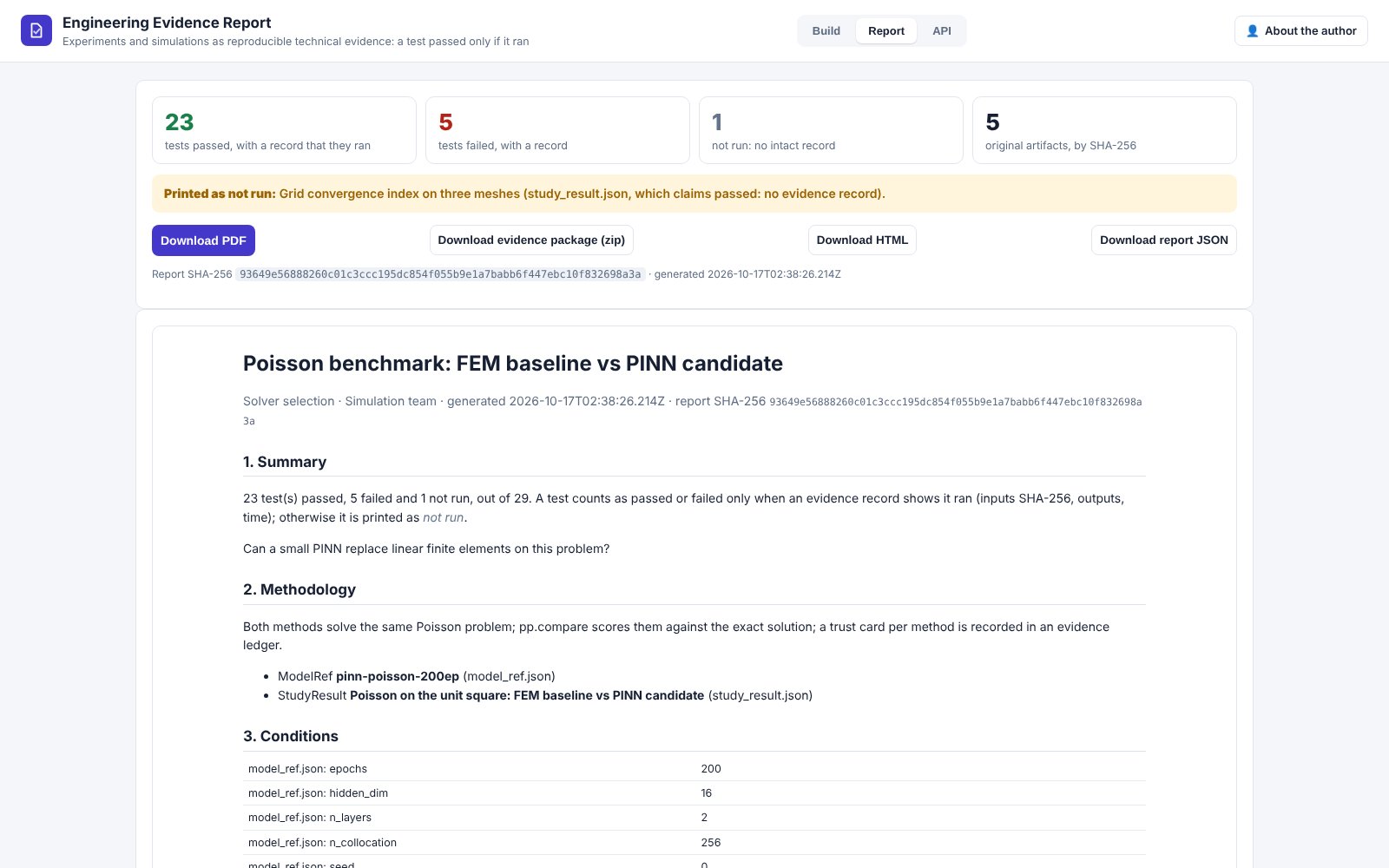
Upload what a study produced, from any app of the series or from your own tools:
- Validation Lab reports;
- evidence ledgers;
pinneapple checkJSON;- Simulation Comparator results;
- StudyResult / ModelRef / DatasetSpec JSON;
- metrics tables;
- any other file.
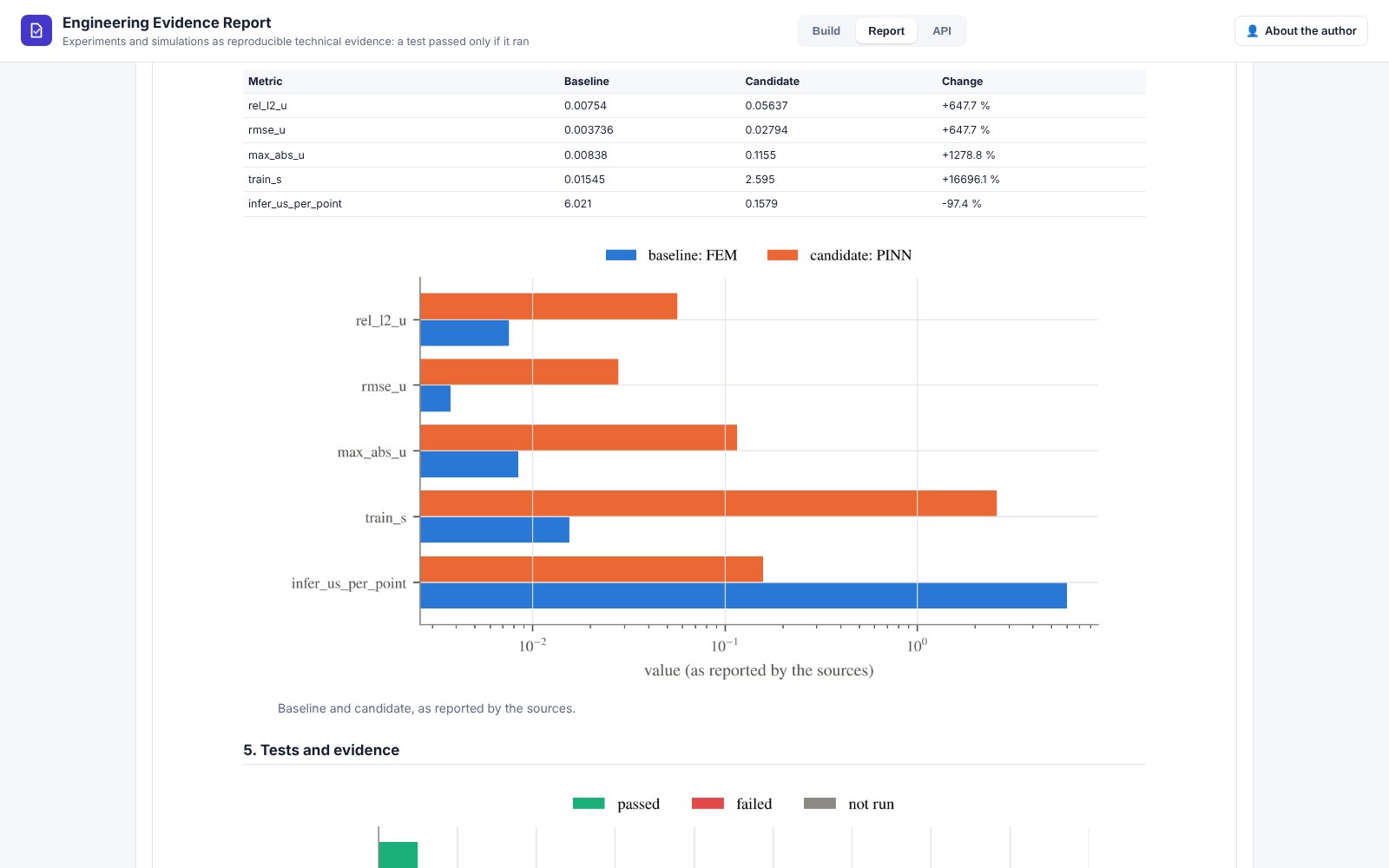
Add the methodology, the conditions and the names of the baseline and candidate runs. The app builds a report (HTML, PDF) with methodology, conditions, baseline comparison, tests, limitations and references, where every original artifact is referenced by SHA-256 and URL. It also builds an evidence package: a zip with the report, the ledger, the figures, the original files and a SHA-256 manifest.
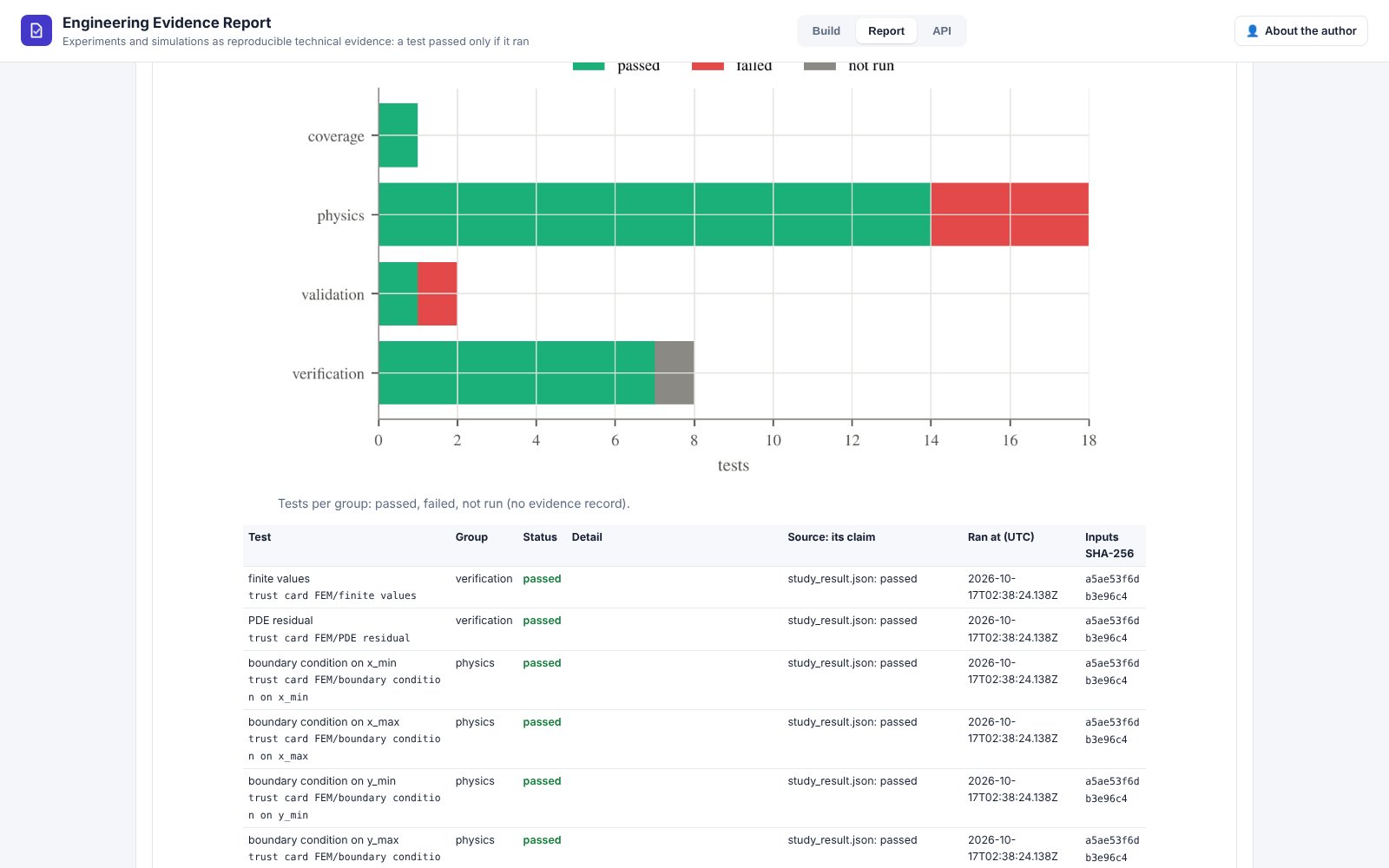
A test is reported as passed only when there is a recorded evidence entry that it ran (inputs SHA-256, outputs, time). Otherwise the report prints "not run", with the source's claim next to it. See the evidence ledger for how records are made and checked.
Automate it
POST /api/report returns JSON and HTML, /api/report.pdf the PDF and /api/package the zip. Each takes files
plus meta (JSON) and urls (JSON: file name → URL). The interactive docs are at /docs. API keys and usage
metering (reports and downloads per caller and month) come from the shared app runtime.
Limits
- The report checks that records exist and are intact; it does not re-run tests.
- Baseline and candidate are matched by run name, and units are not converted.
- Contracts are validated against
pinneapple_data.contracts; each report is also exported as a StudyResult. - Nothing is stored: keep the package.
Monetization: reports, campaigns and private projects.